
The mileage log that keeps itself
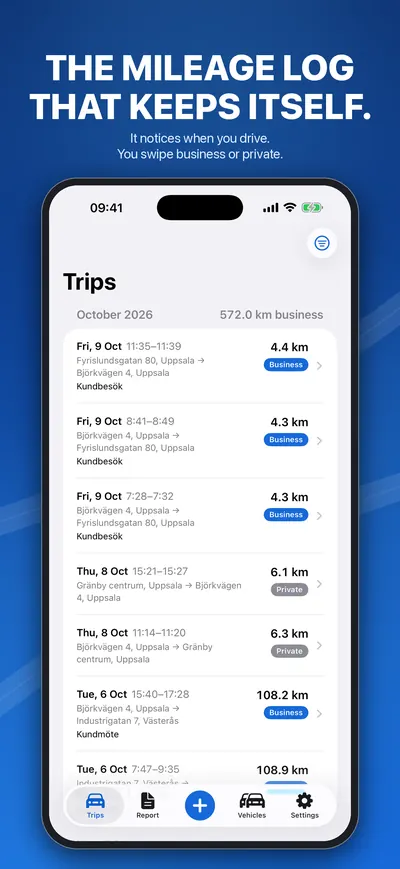
Körlogg notices when you start driving and logs the trip with GPS. You swipe business or private – and the report is ready when you need it.
For iPhone and iPad. An Android version is in development.
- Made in Sweden by an independent developer
- No account, no login
- Built for each country's rules
- Support answered by the developer himself
How it works
Drive
Körlogg notices the trip and logs it with GPS – no button to press.
Swipe
Right for business, left for private. Add the purpose when it suits you.
Export
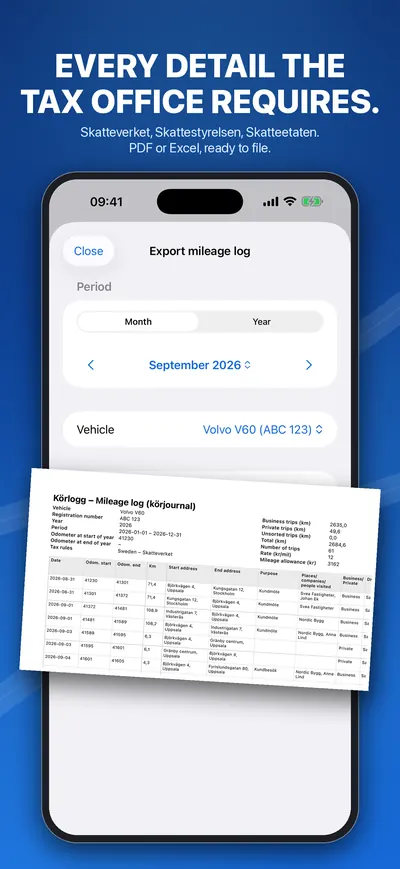
A PDF or Excel log with dates, addresses, purpose and odometer readings.
Everything a mileage log needs, without the typing
Logs trips by itself
The app notices when you start driving and measures the trip until the car has stood still for a few minutes. Between trips it sleeps and uses almost no battery.
Business or private with one swipe
Swipe right for business, left for private. Add the purpose, the companies you visited and the people you met whenever it suits you.
The details a tax office asks for
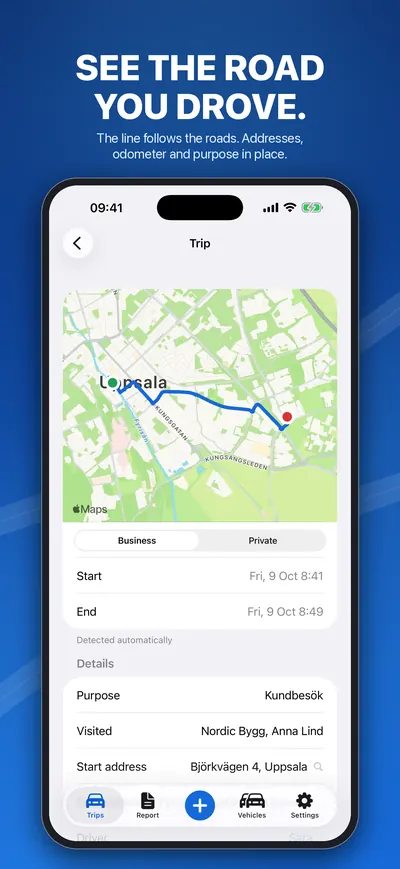
Date and time, start and end address, distance, purpose, odometer readings, driver and car. Changes made to a trip afterwards are listed in the export.
Odometer readings filled in
Read the odometer once and Körlogg fills in the reading at the start and end of every trip. Calculated values are marked ≈; what you type yourself is never changed.
Rules for eight countries
Each car follows one country's rules: Sweden, Denmark, Norway, Finland, Germany, Austria, the Netherlands and Poland. The language is chosen separately, so changing it never changes your figures.
Kind to the battery
GPS is on only while you drive, and iOS always shows when it is in use. A missed trip can be added by hand, or logged as a saved route with one tap.
New in Körlogg 2.0 · coming soon
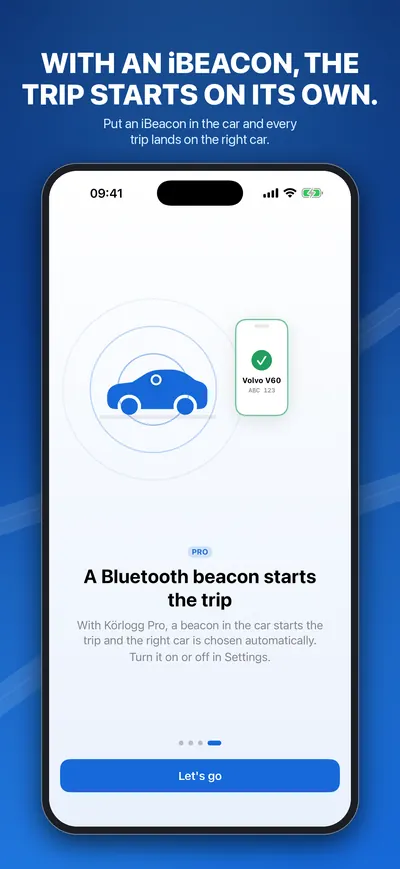
An iBeacon in the car starts the trip
Put a small Bluetooth beacon in the car. When your iPhone notices it, Körlogg starts logging and puts the trip on the right car. With “Only record with a beacon”, trips are logged only in your own car – not in a taxi, on the bus or when you ride with someone else.
- Works with standard iBeacon beacons
- Minew, Feasycom, Kontakt.io and Estimote are found automatically; other brands by their ID
- One beacon per car picks the car for you
- Part of Körlogg Pro
What the exported log contains
| Field | In Körlogg |
|---|---|
| Date, start and end time | Every trip |
| Start and end address | Every trip |
| Distance and odometer at start and end | Every trip; calculated readings marked ≈ |
| Purpose, places, companies and people visited | Business trips |
| Driver and car (registration number) | Every trip |
| Changes made afterwards | Listed in the export |
| Business and private totals | Per month and year |
Whether a log is accepted is decided by the tax office or employer that receives it.
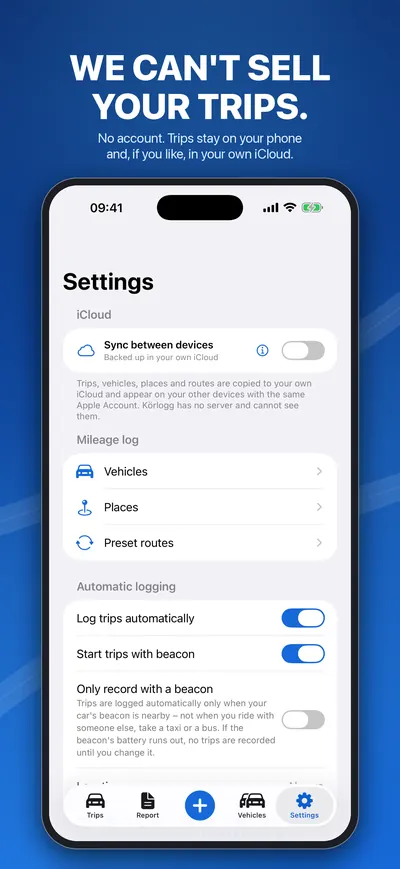
We can't sell your trips. We never have them.
Körlogg has no account and no login. Your trips are on your phone and, if you want, in your own iCloud. No employer can follow you, and nobody sees anything until you send the report yourself. The app sends anonymous usage statistics – never trips, places or positions.
Körlogg Pro
- Export as PDF and Excel
- Several cars and drivers
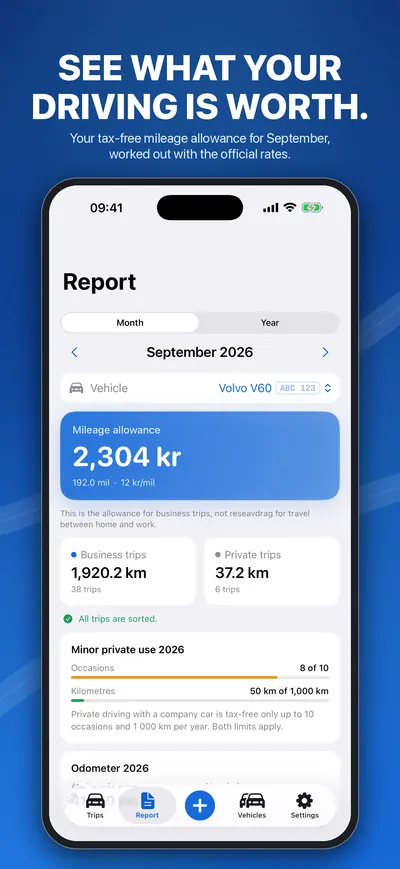
- Mileage allowance worked out, and the odometer check
- Preset routes and one-tap round trips
- Every trip open, not just the last 25
- Sync between iPhone and iPad in your own iCloud
- The Bluetooth beacon (Körlogg 2.0)
Logging trips is unlimited without Pro. Pro is a subscription or a one-time purchase; the App Store shows the price for your country before you buy.
Questions?
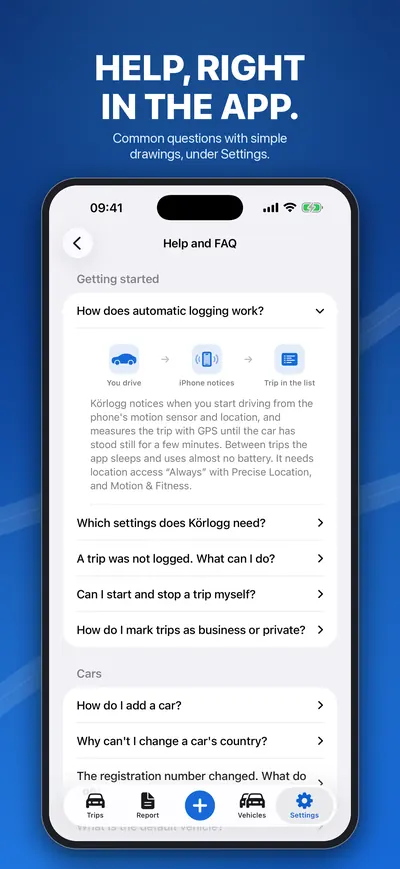
How does automatic logging work?
Körlogg notices when you start driving from the phone's motion sensor and location, and measures the trip with GPS until the car has stood still for a few minutes. Between trips the app sleeps and uses almost no battery. It needs location access “Always” with Precise Location, and Motion & Fitness.
How do odometer readings work?
Read the odometer once and enter it on the car's page under “Odometer now”. Körlogg then fills in the reading at the start and end of every trip from the logged kilometres. Those values are marked as calculated (≈ in the export); what you type yourself is never changed.
A trip was not logged. What can I do?
First check the permissions above: with “While Using” trips are only logged while the app is open. In Low Power Mode iOS wakes apps less often, so the start can come later. Leave Körlogg in the background rather than closing it in the app switcher. You can always add a missed trip yourself with the plus button.
What does Pro include?
Export as PDF and Excel, several cars and drivers, the mileage allowance and odometer check, preset routes, all trips open (without Pro the 25 most recent), iCloud sync and the Bluetooth beacon. Logging trips is unlimited without Pro too.
Where are my trips stored?
On your iPhone. You use Körlogg without an account and without logging in.
How do I cancel my subscription?
Subscriptions are handled by Apple: open the Settings app on your iPhone, tap your name, then Subscriptions, and choose Körlogg. A lifetime purchase has nothing to cancel.
The app's Help and FAQ, with the same answers, is also on the web. Help and FAQ →
Start your mileage log today
Install Körlogg, allow location “Always”, and drive. The first trip appears by itself.
Download on the App StoreFor iPhone and iPad. An Android version is in development.